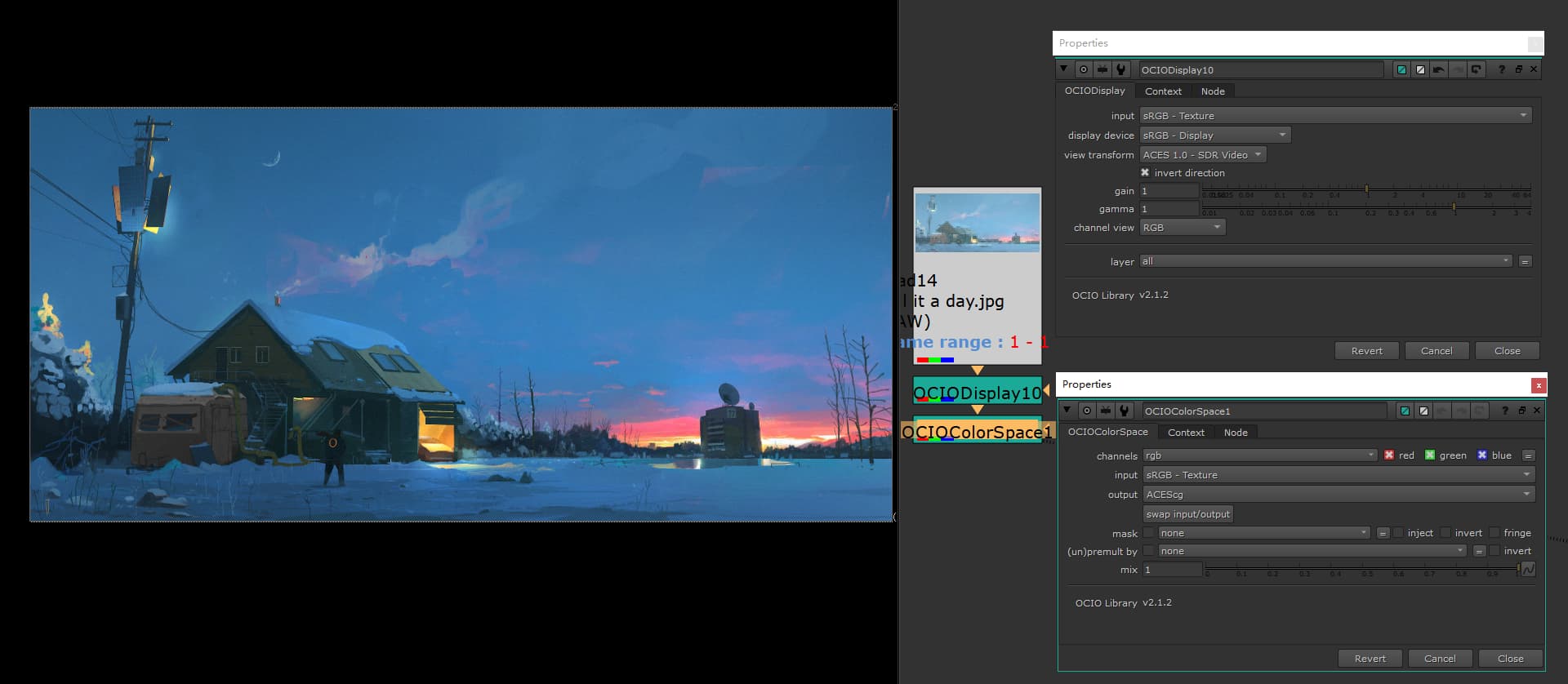
In nuke, sRGB images from web pages are first described in RAW; then the following parameters can be adjusted by adding the node as shown. Sorry I only vaguely understand the purpose of these actions, so I won’t explain them.
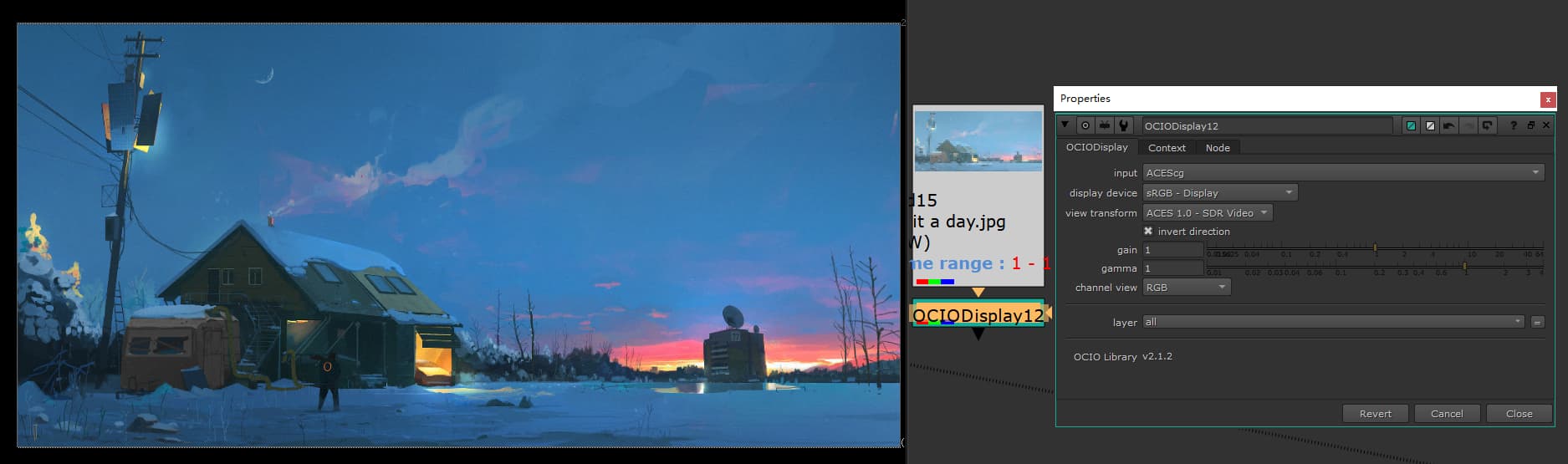
Alternatively the process can be simplified to just an OICO Display, the above method is just the one I think is easier to understand.
But for Exr, if it was previously rendered in the linear-sRGB color space, the conversion process I used would be a bit more complicated. I also show it as a screenshot:
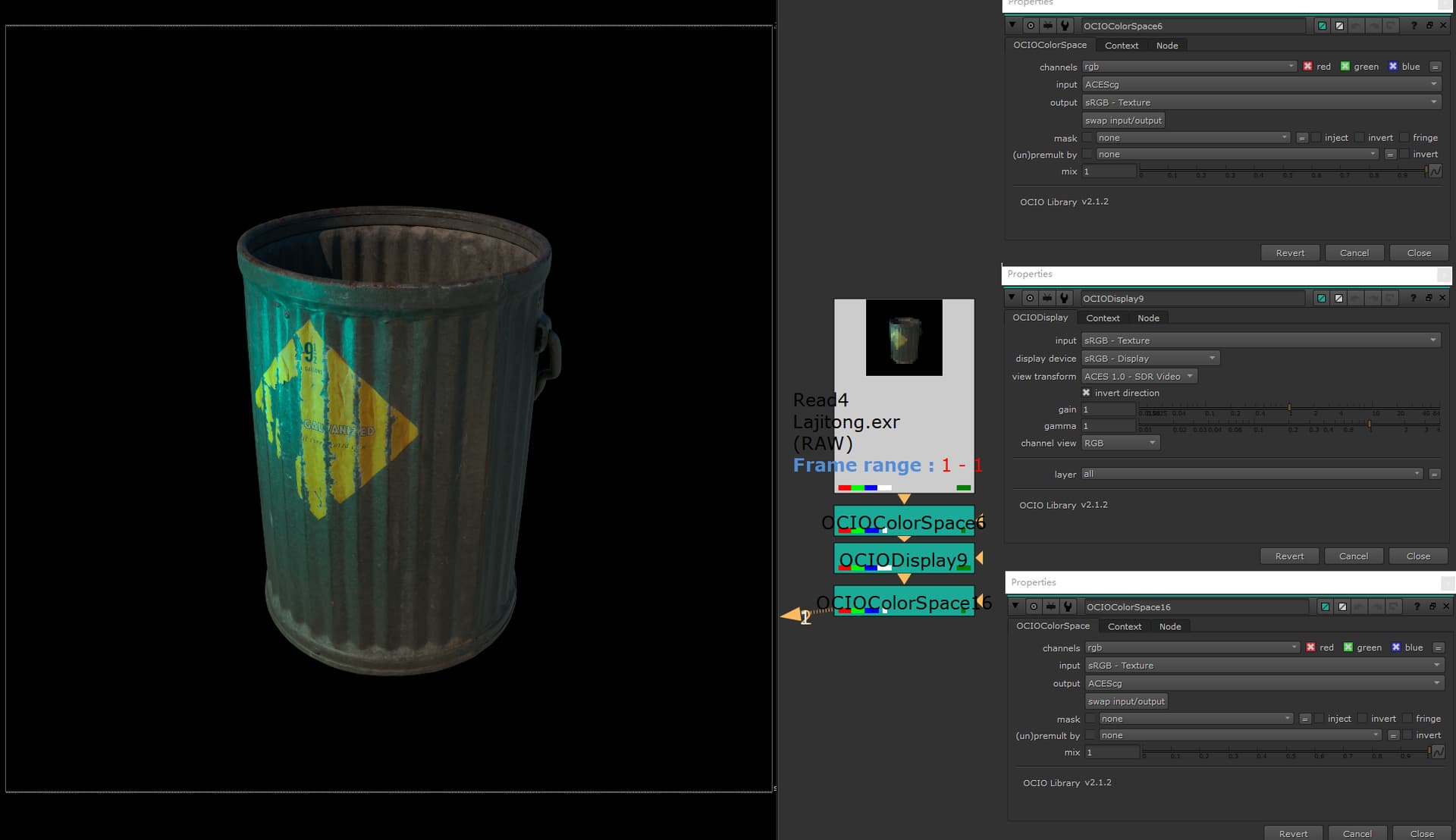
I don’t know if there is a better way, but this is the way I currently use.
In the current version of AE (2023), I didn’t find the invert direction property, so I can’t get the “correct” display.
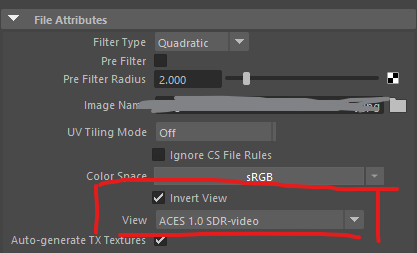
Maya only started to support invert direction in version 2023, but I don’t check it if I don’t have a need for camera projection, because it calculates metallic materials with a high saturation that I don’t want.